First grade · Ages 6–7
Free learning games for 1st grade
First grade brings a lot of new skills at once: adding and subtracting within 20, reading longer words, and following more detailed directions. Pipalo turns each of these into short games your child plays to help a virtual pet grow, free in the browser, with no ads.
Free · No email or code needed · Works in the browser on tablets, phones and computers
Games first graders play
The same art your child sees on the Games screen.
 Math
Math
Cars meet or drive away. Type how many there are.
 Letters
Build a word
Put the letters in order, left to right.
 Listening
Pipalo Cafe
Listen to a word and serve the matching picture.
 Thinking
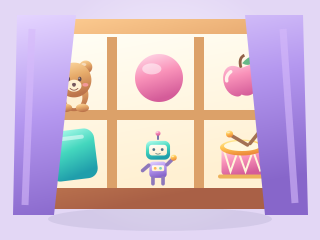
What’s missing?
Look at the shelf, then find the toy that disappeared.
 Thinking
Complete the pattern
Continue a row of colors, shapes, or arrows.
 Feelings
Help a friend
Name a feeling and choose a kind way to help.
Set it up for a first grader
In the free parent app, create a child profile and choose Grade 1 as the age group. Pipalo then suggests games and levels that fit, and you can adjust any of them. You can also mark learning areas as more important, so those games are suggested first.
A game can move up a level on its own, but only after steady success without hints on at least three different days. Feelings games never level up automatically.
Math: addition and subtraction within 20
The Math game shows cars meeting or driving away, and your child types the answer. At the first-grade level, rounds include make-ten pairs, sums within 20, and problems that cross ten, such as 8 + 5 or 14 − 6. You choose addition, subtraction, or both. Number Tower and Treasure River add quick, game-like practice with the same facts.
Reading: longer words and trickier rhymes
Build a word moves from three-letter words to words like frog, hand, and duck, and then five-letter words like train and clock. Rhymes has a challenge set (moon and balloon, cake and snake), and First sounds can add an extra set of sounds.
Listening, thinking, and feelings
Learning in first grade isn’t only reading and math. Pipalo also includes:
- Listening games (Pipalo Cafe, Word Delivery, and Surprise Claw), where your child hears a word and finds its picture. In Pipalo Cafe, the hardest level drops the written labels: listening and pictures only.
- What’s missing?, a memory game with three to five toys on a shelf.
- Complete the pattern, with colors, shapes, or arrow directions.
- Help a friend and Friends Clinic, which ask how a character might feel and what could help.
Following along as a parent
The parent app shows what your child practiced: completed activities in each area, rounds and level for each game, active time in the learning games, and practice days. It also explains how each game relates to Common Core-style grade 1 standards. It describes practice, not test scores.
Try a game with your child
Choose a pet, play one short game, and see if it fits your family. You can connect the free parent app later.
No sign-up · No ads · Saved in this browser
Questions parents ask
FAQ
Is Pipalo really free?
Yes. Pipalo is currently free to play, with no ads and no payment details. The demo opens in the browser without an email address, and the parent app is free too.
Which 1st grade skills does Pipalo practice?
Addition and subtraction within 20 (including make ten and crossing ten), word building, rhyming, beginning sounds, listening vocabulary, visual memory, patterns, and naming feelings.
My child is ahead or behind. Can I change the level?
Yes. Each game has three levels you can set in the parent app. Math goes from within 10 up to two-digit problems within 100, and you can switch the age group to Kindergarten or Grade 2 at any time.
How long does a game take?
Each game takes a few minutes. You can set a daily goal for each learning area, and when it is met Pipalo suggests a rest.
Does it work on a school Chromebook or tablet?
Pipalo runs in a web browser on tablets, phones, and computers, with no app store download. School devices may block some websites, so check with your child’s school.