Kindergarten math · Ages 5–6
Free kindergarten math games: counting, make ten, and adding within 10 and 20
Pipalo is a free browser game where short math rounds help a virtual pet grow. Your child counts dots, puts groups of cars together, and builds a number tower, with instructions read aloud so they don’t need to read yet. There is nothing to install and no account to create.
Free · No email or code needed · Works in the browser on tablets, phones and computers
The math games
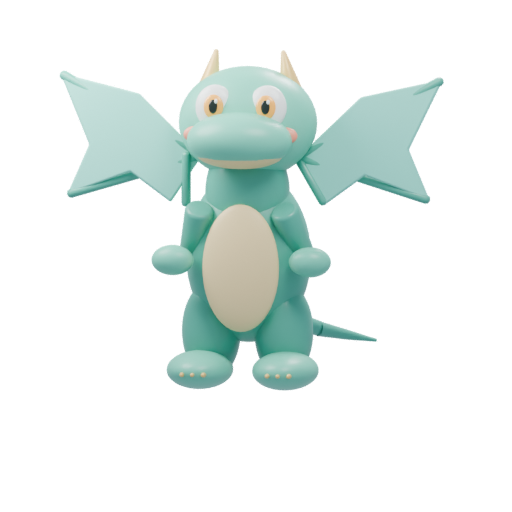
The same art your child sees on the Games screen.
 Math
Math
Cars meet or drive away. Type how many there are.
 Math
Number Tower
Drop the floor when the matching number appears.
 Math
Treasure River
Steer the boat under the matching number.
What kindergarten math practice looks like in Pipalo
Each game is a few minutes long and focuses on one small skill. A correct answer helps your child’s pet grow, which gives them a reason to try one more round.
- Counting to 5. In Number Tower and Treasure River, the first level asks your child to find a number by counting dots, then drop a tower floor or steer a boat to it.
- Adding within 10. The Math game shows two groups of cars meeting on a road and asks how many there are altogether. Your child types the answer on a large number keypad.
- Make ten. One step of the Math game uses pairs that make 10, such as 7 + 3 and 4 + 6, so your child sees the same total built in different ways.
- Adding within 20. Higher levels move to sums up to 20, including problems that cross ten, such as 8 + 5.
- Taking away. If you choose, cars drive away instead, turning the round into a subtraction question: “3 cars drive away. How many are left?”
Help that doesn’t just give away the answer
When a child answers incorrectly, the Math game helps in steps. First it encourages another try and repeats the question aloud. Next it gives a hint such as “start with 6 and add 3.” Only after that does it show the answer.
A success with help still counts. It gives the pet half a step of growth instead of a full step, so asking for help is never a dead end, and solving it alone is still worth a little more.
Choosing the right level
In the free parent app, choose Kindergarten as your child’s age group and Pipalo suggests matching games and levels. You can change them at any time. For the Math game, choose a range (up to 10, up to 20, or up to 100) and addition only, subtraction only, or both. Number Tower and Treasure River have three levels: counting to 5, adding within 10, and adding within 20.
A tip many parents find useful: start one level lower than you expect. Early wins build confidence, and it is easy to move up.
Tips for playing together
Kindergartners often enjoy math games more with a grown-up nearby, especially at first.
- Play the first round together and count the dots or cars out loud.
- After the game, count real things: spoons on the table, steps to the door, or cars in a parking lot.
- Ask “how did you know?” instead of “is that right?” to hear how your child is thinking.
Try a game with your child
Choose a pet, play one short game, and see if it fits your family. You can connect the free parent app later.
No sign-up · No ads · Saved in this browser
Questions parents ask
FAQ
Is Pipalo really free?
Yes. Pipalo is currently free to play, with no ads and no payment details. The demo opens in the browser without an email address, and the parent app is free too.
Does my child need to read to play?
No. Numbers and pictures carry each round, and instructions are read aloud when the device has an English speech voice. A sound button repeats them.
Which math skills do these games cover?
Counting to 5 with dots, addition within 10, make-ten pairs, addition within 20 including crossing ten, and optional subtraction. Older children can move up to tens and two-digit problems within 100.
Do the games follow kindergarten standards?
The parent app explains how each game relates to Common Core-style kindergarten math standards, such as adding within 10. The games are practice, not a test or a placement tool.
Can I choose which math games my child plays?
Yes. In the parent app you can turn games and learning areas on or off, set levels, and choose whether hints are offered.