For parents · Screen time
Healthy screen time with learning games: tips for parents of kids 5–8
No game can decide the right amount of screen time for your family. That depends on your child, your day, and your values. This guide shares practical tips many parents use, and explains how Pipalo’s daily goal, rest moment, and parent controls can support whatever plan you choose.
Free · No email or code needed · Works in the browser on tablets, phones and computers
Short games with a clear finish
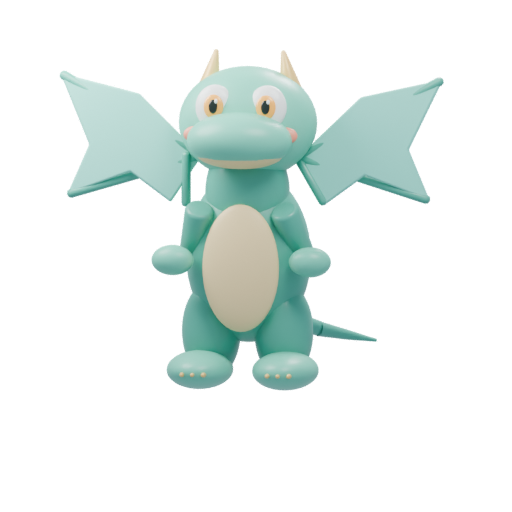
The same art your child sees on the Games screen.
 Math
Math
Cars meet or drive away. Type how many there are.
 Letters
First sounds
Find the picture that starts like the word you hear.
 Thinking
What’s missing?
Look at the shelf, then find the toy that disappeared.
 Feelings
Friends Clinic
Choose a tool and care for a friend.
Tips for a calmer screen-time routine
These are ideas to try, not rules. Keep what works for your family.
- Decide on the plan before the screen comes on. Agreeing on “two games, then we tuck the pet in” is usually easier than stopping mid-game.
- Prefer a clear ending. Activities with a natural stopping point make transitions easier than endless feeds.
- Sit with your child for the first few sessions to see what the game asks of them.
- Keep screens out of mealtimes and the hour before bed if that suits your family.
- Write down your family rules together. The American Academy of Pediatrics offers a free Family Media Plan tool for this.
A daily goal, not an endless feed
In the parent app you can set a daily goal for each learning area: no goal, or 5, 10, 15, or 20 activities. Pipalo adds them up into one goal for the day. If no parent app is connected, Pipalo uses a default goal of 12 activities.
You can also mark an area as more important. Pipalo then suggests those games first until that area’s goal is met.
The rest moment
When your child reaches the day’s goal, the pet gets sleepy: “We did a lot today! Pipalo is going to rest. See you tomorrow?” Your child can tuck the pet in, which takes them to its bedroom, or choose to play a little more. The rest moment appears once a day.
This is a gentle nudge, not a lock. Pipalo does not enforce a time limit. If you need a hard limit, use your device’s built-in controls, such as Screen Time on iPhone and iPad or Google Family Link on Android.
Parent controls in Pipalo
The parent app is free. You sign in with a one-time code sent to your email, and your child’s device connects with a short code.
- Turn learning areas and individual games on or off.
- Set the level and focus for each game, and whether hints are offered.
- See completed activities, rounds per game, active time in the learning games, and practice days.
- See connected devices and disconnect one at any time.
- Download or delete your family’s data yourself.
Try a game with your child
Choose a pet, play one short game, and see if it fits your family. You can connect the free parent app later.
No sign-up · No ads · Saved in this browser
Questions parents ask
FAQ
How much screen time is right for a 5 to 8 year old?
It depends on your child and your family. Many parents find it helpful to make a written family media plan, for example with the American Academy of Pediatrics Family Media Plan tool, and to talk with their pediatrician.
Does Pipalo lock the game when the daily goal is reached?
No. Once a day, after the goal is met, the pet suggests a rest. Your child can tuck it in or keep playing. For a hard limit, use your device’s parental controls.
Can I set a daily goal without an account?
Without the parent app, Pipalo uses a default goal of 12 activities. To set your own goal for each learning area, sign in to the free parent app with an email code.
Can I see how long my child played?
Yes. The parent app shows active time in the learning games, along with completed activities and practice days.
Are there ads or purchases that could extend play?
Pipalo has no ads and asks for no payment details.